🎯 Overview
The Blueprint gives you the whole system for free. But the free build still needs some basic setup. This page tells you the minimum setup. It tells you what works and what does not work at each stage. It ends with a checklist. Tick every box, and the 29-page manual guides you through the rest.
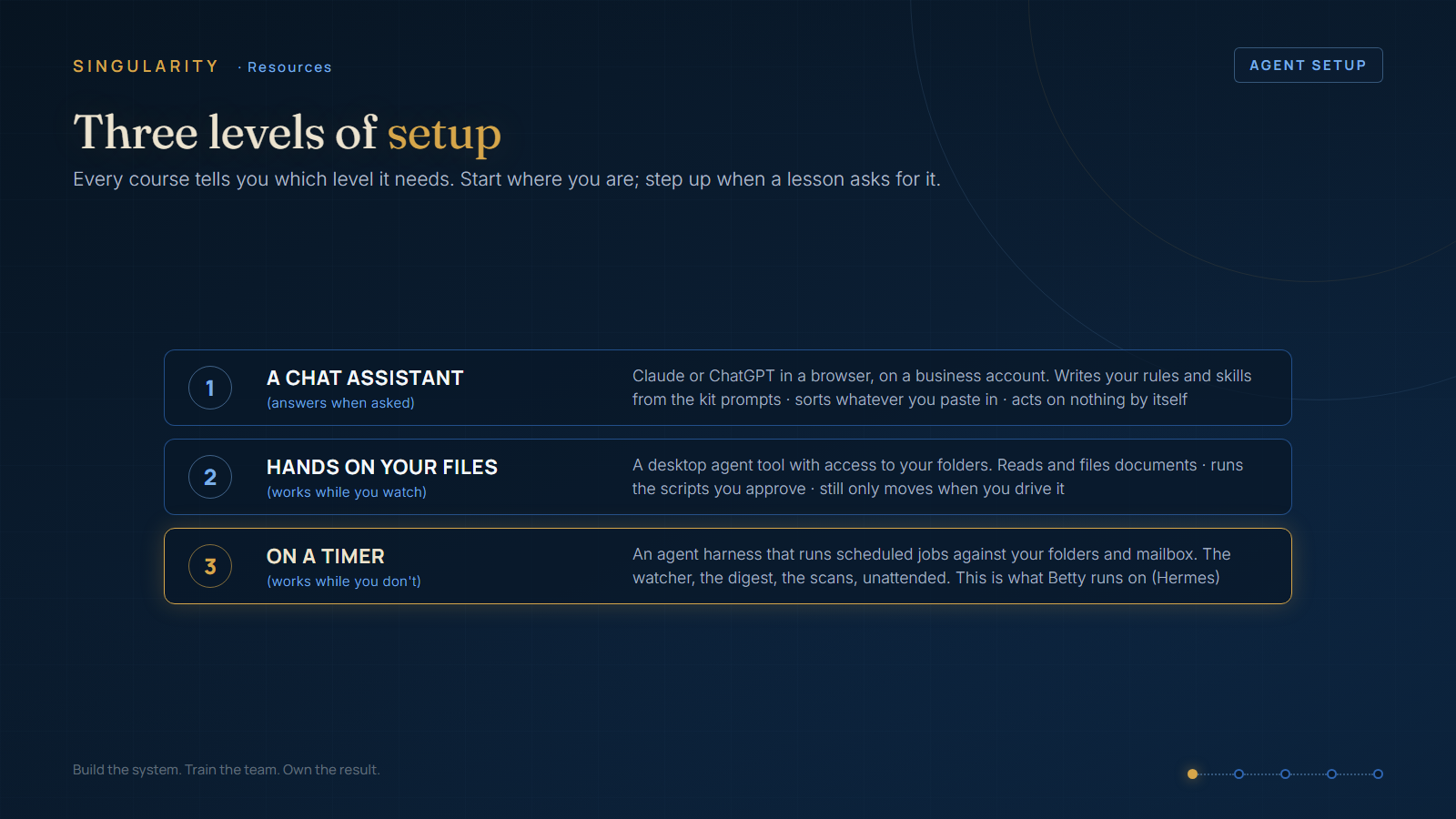
🔧 What the free build needs
- To BUILD everything: Level 1. Your installed agent tool on a paid business account is enough
- To SWITCH IT ON: Level 3. The morning digest and the 5-minute watcher need an agent harness.
(Claude Code, Claude Desktop, Codex, or Kimi - see the Agent Setup guide). It runs every prompt in the manual: the ten-question interview, the skill files, the folder design. You can finish the whole paper system tonight. You use conversation only - no timers yet.
The harness runs jobs on a schedule. It reads your folders and your mailbox. That is the "first runtime weekend" in Part 5 of the manual. Do not set up the harness until you get there.
✅ What works at Level 1: the governance folder, the two authority documents, your first skill file, and your sorting scheme. You generate them, you review them, and you save them. That is the full paper system.
❌ What does not work: nothing runs by itself. There is no 6am digest, no watcher, and no filing. At Level 1 your agent tool answers questions. It does not act. That is not a failure. It is the correct first week.
⚠️ Edge cases for this build
- Your business files may live in OneDrive or SharePoint with "online-only" files. If so, set
- Ask the person who runs your IT for company email access. Ask for read-only access first. Do
- Use a business AI account with data-training turned OFF. Your tender rates do not belong in a
your admin folders to "Always keep on this device" first. Do this before any agent touches them.
not give any tool your personal password.
free personal account.
💡 Recommendation: build the whole thing at Level 1 first. Follow the manual's order exactly. Some people install the engine before they write the rules. Their agents then make many errors very quickly.
✅ The checklist - tick every box, then open the Blueprint
☐ An agent tool installed (Claude Code, Claude Desktop, Codex, or Kimi) on a paid business account, data-training off ☐ I know where my admin root folder is (the place .management/ will live) ☐ That drive is synced and has version history; admin folders set to always-on-this-device ☐ One evening set aside for the ten-question interview ☐ I have NOT set up a Level 3 harness yet (that is Part 5's weekend, not tonight)
For the full detail on levels, tools, and known problems, read the Agent Setup guide in the Resources course.