BettyOS has a live, clickable process map, built in the Paul Barby brand style. Use it as the visual spine of the courses. When a module needs a picture, point at the relevant view here. Do not draw a new one.
🖥️ The interactive deck
File: the interactive system-map deck (served by the governance dashboard, or open the file directly). It has six views. Each view is clickable all the way down to "what does this step do, and which file or written method controls it."
The six views, and where each is used:
- End-to-End System Map: the whole journey - request to tender to construction to handover to maintenance. The rules, communications, and daily-automation layers run underneath it. Use it in Foundation (M1), the Construction bundle (M1), and the Free preview.
- Tender Lifecycle: the six tender stages, W1 to W6, with the decision gates marked - Bid/No-Bid, Go/No-Go, Won/Lost. Use it in the Tender & RFQ course.
- Construction Delivery & Handover: from award through to the O&M manual (the handover pack that closes out a job). Use it in the Construction bundle.
- Communications Governance: how a message travels. Evidence comes in. The security screen checks it. The system sorts it by what it means. A human signs off at the send gate. A written record closes it out. Use it in the Email & Document course and the Governance course.
- Governance Operating Model: what happens when work arrives. The trigger starts the flow. The supervisor skill (the orchestrator) decides what runs. The locked-list check runs. The system matches the work to written methods. Review and the log close it out. Use it in the Governance course and Foundation (M4).
- Daily Runtime / Cron Cadence: the day's automatic jobs on their timers - morning digest, the quick cheap look-in (the lean poller), the urgent-comms watch, RFQ processing, end-of-day summary. ("Cron" is the technical name for a job the computer runs on a schedule, like an alarm clock.) Use it in the Hermes Agent course and Foundation (M5).
🎓 How to teach with a diagram (the method)
- Show the whole map first (move 1, foundation overview). Do not explain a single box yet.
- Walk the layers and lanes (move 2, context). Name each one, one line each.
- Click into the one box that matters for this module (move 3, deep dive). Now go deep.
- Zoom back out. Trace the path end to end. The student then sees how it all connects.
🖼️ Simple diagrams to use in slides
When you need a clean teaching slide instead of the full app, use these four. They carry most of the course.
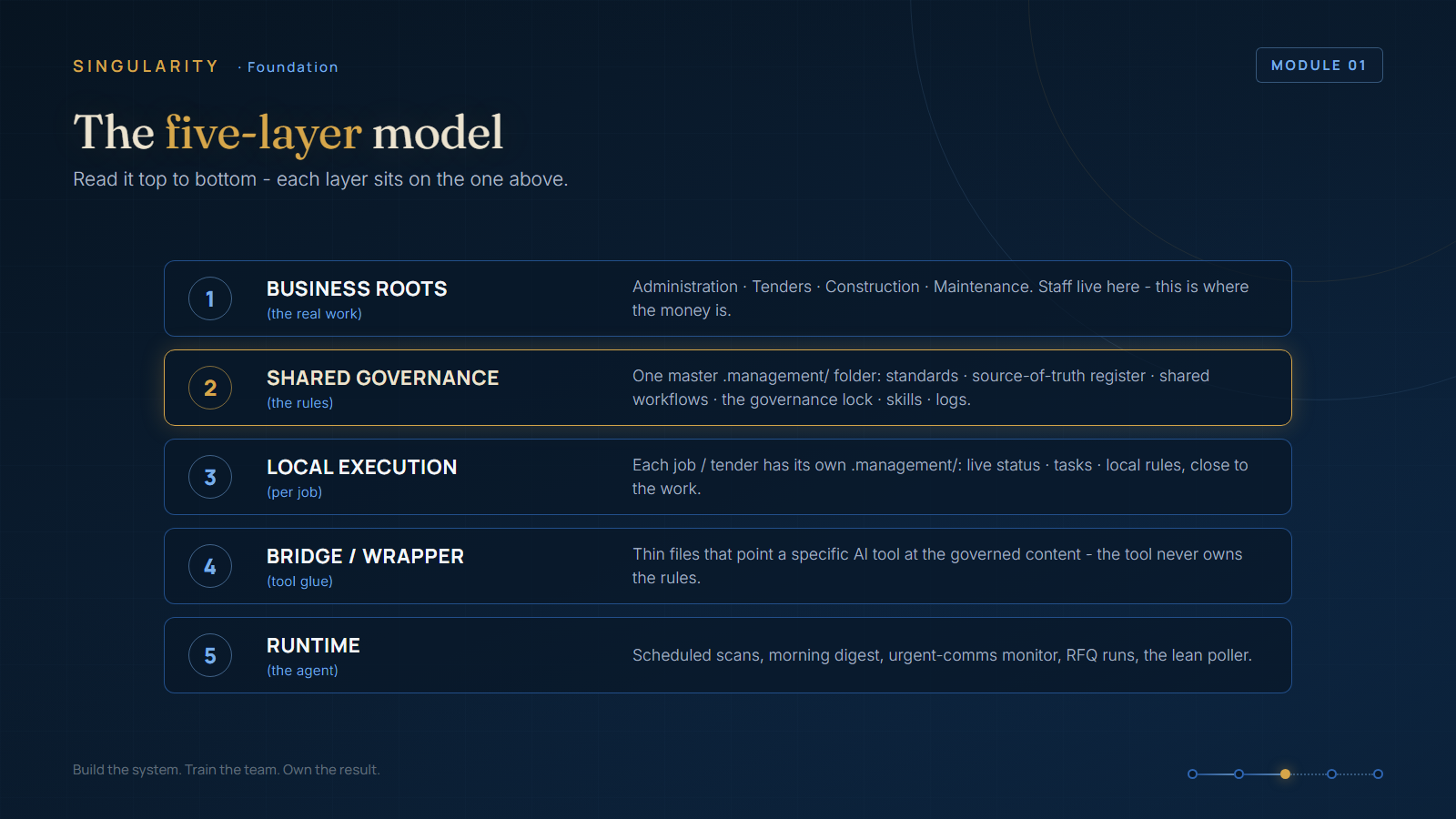
The five layers. The stack from the real work up to the AI. The layers are: the business folders where the work lives (business roots); the shared rules (shared governance); the per-job rules kept close to each job (local execution); the small pointer files that tell AI tools where the rules live (the bridge/wrapper layer); and the engine and agent on top (the runtime).
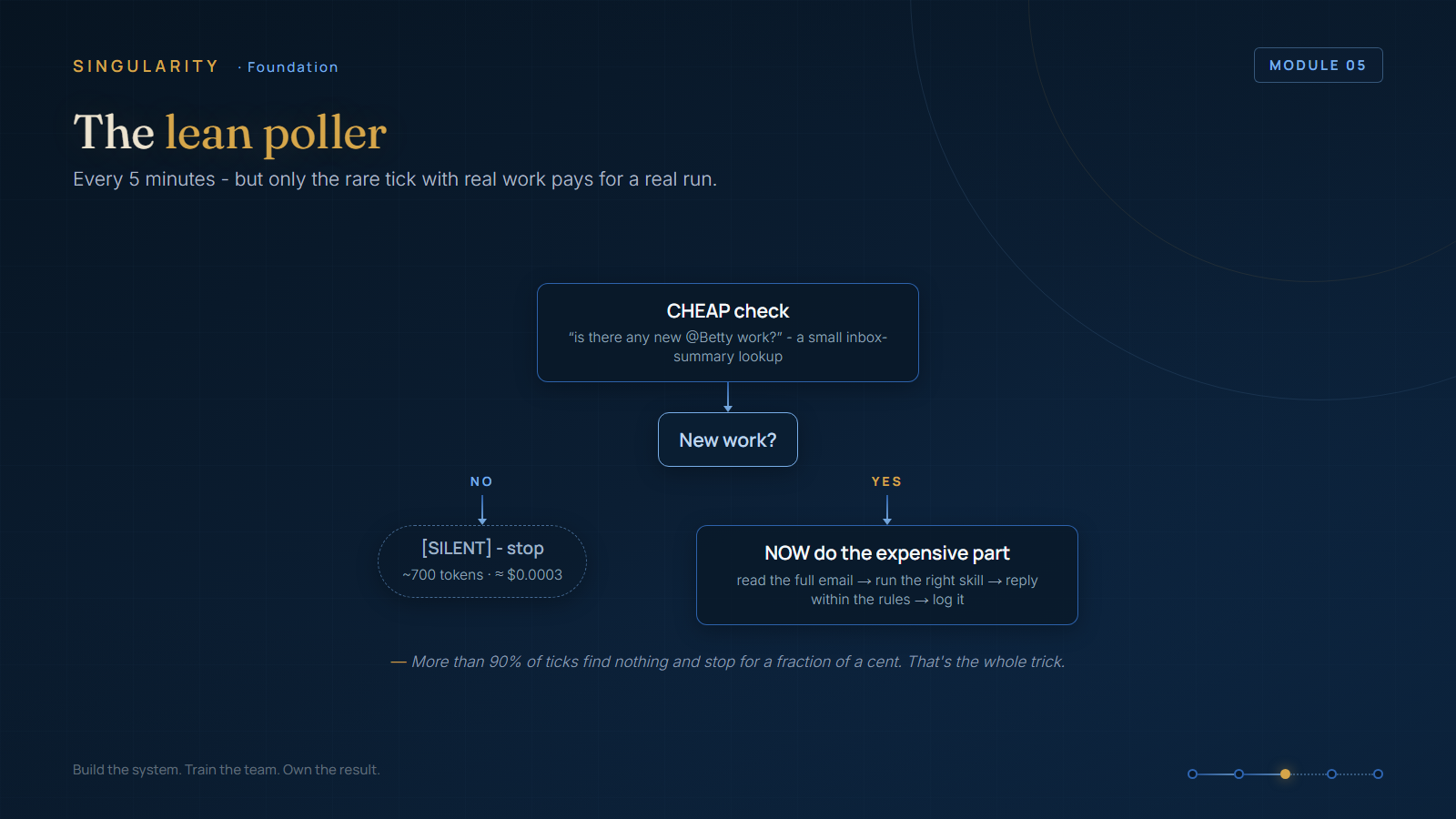
The lean poller. The cost-saver. Every few minutes a quick, cheap check asks "any new work?" If the answer is no, it stops and reports [SILENT] - the agent's "nothing here, moving on" - at a cost of about $0.0003. If the answer is yes, it steps up to the full, expensive run. It does the work and writes down what it did.
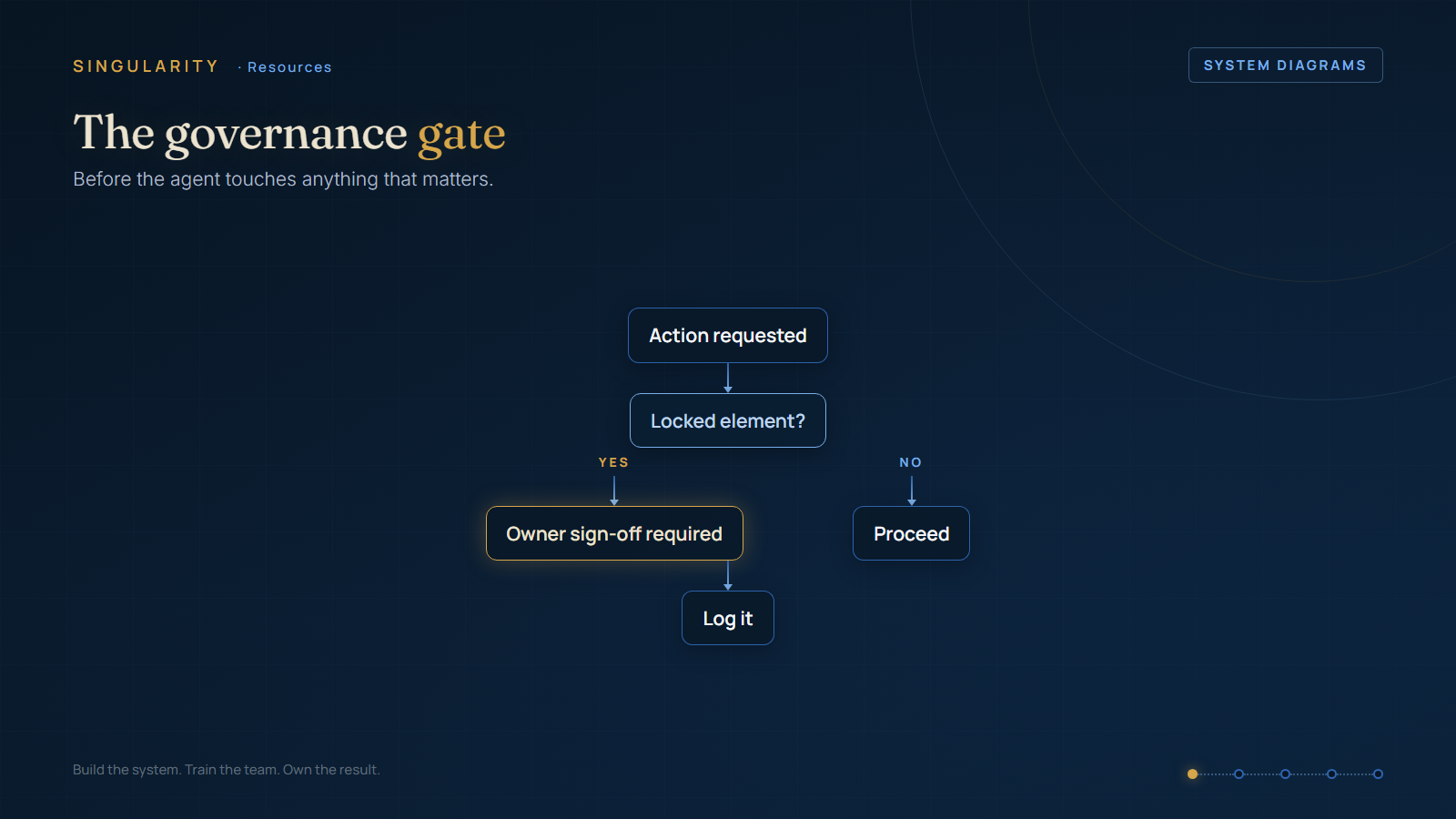
The governance gate. Before any action, the agent asks one question: is this item on the locked list? The locked list is the short list of things the agent may never change on its own. If yes, the agent stops and waits for the owner's sign-off. If no, it proceeds, then logs what it did.
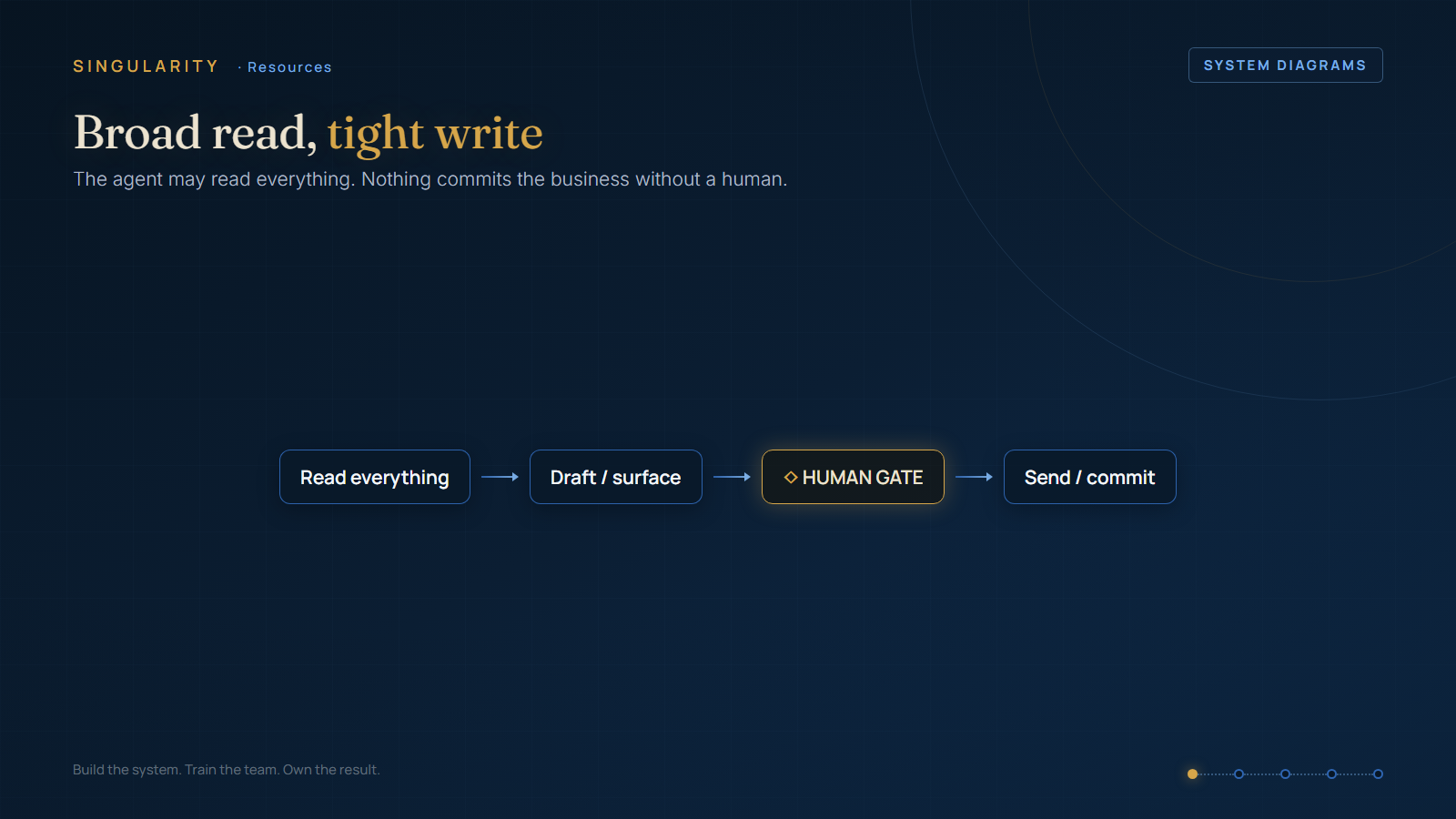
Broad read / tight write. The agent may read everything. It may draft and surface whatever it finds. But nothing gets sent or committed until it passes a human checkpoint. Read widely, commit narrowly.